
AKUKITA CHAT WITH AI TRANSLATION
Description
Turn your WordPress site into a global community.
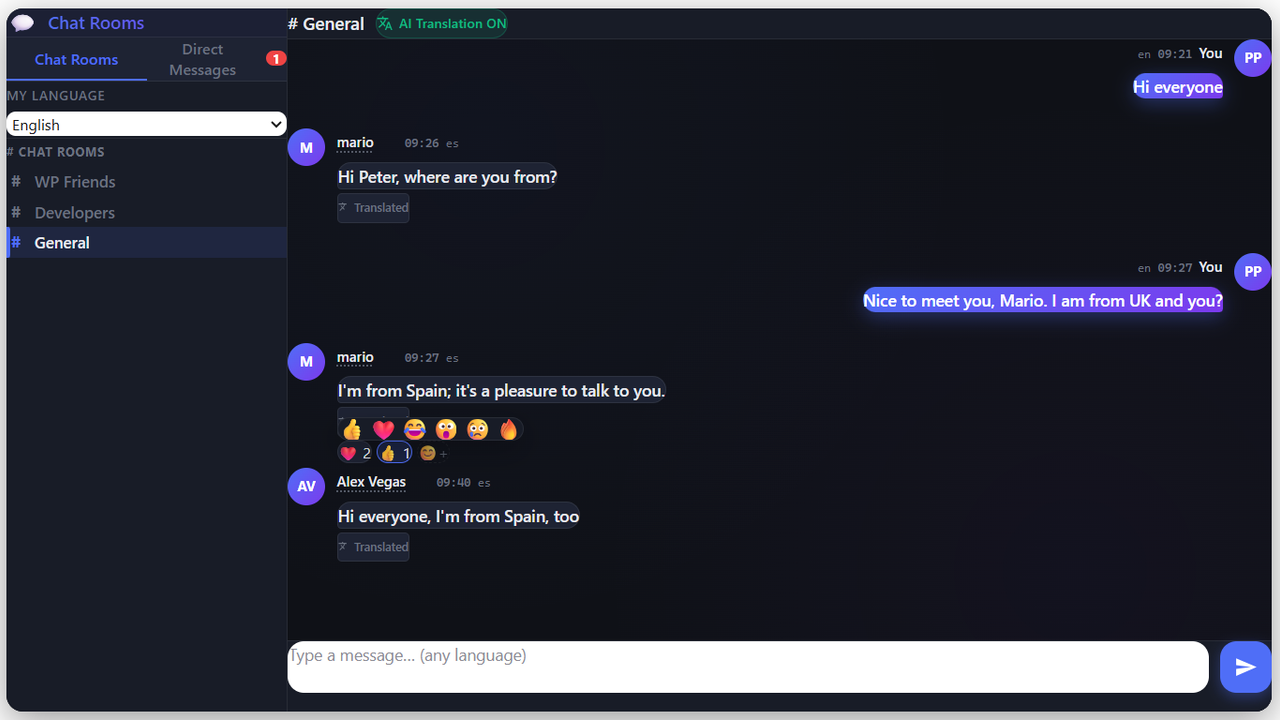
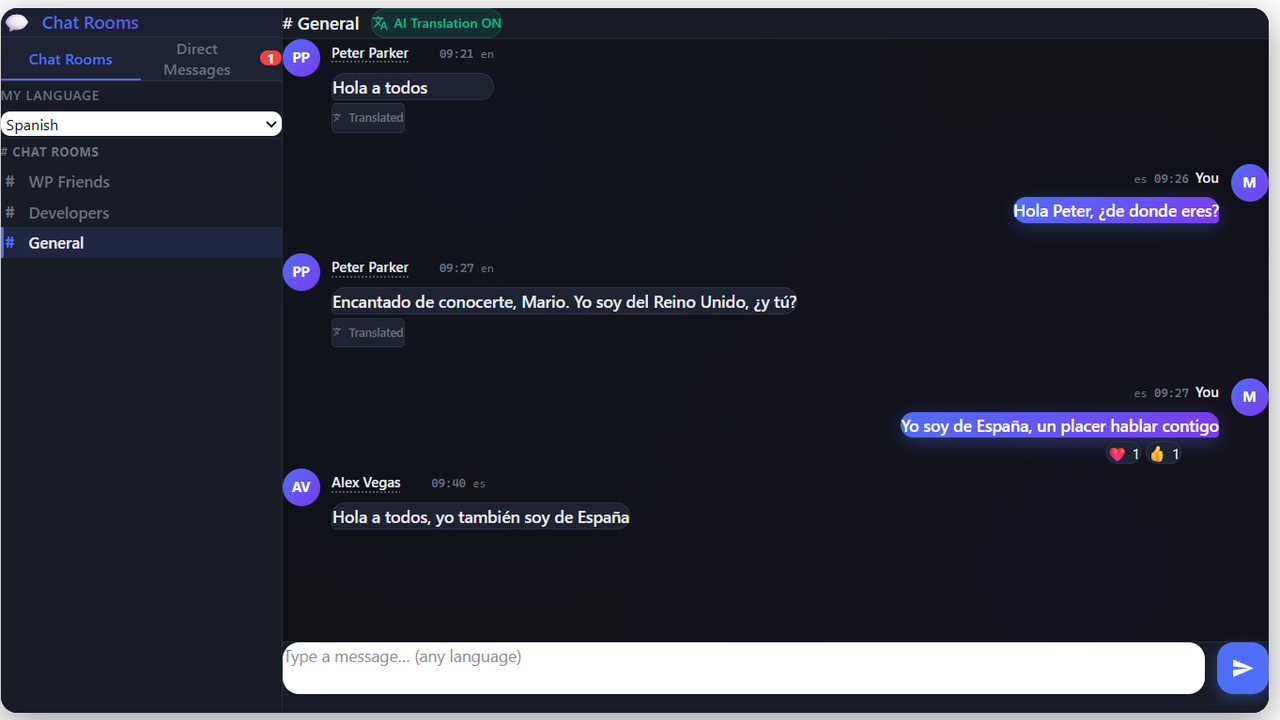
Got visitors from different countries who don’t share a common language? With Akukita Chat, an English speaker and a Spanish speaker can hold a natural conversation — each one reads and writes in their own language. The translation is instant, invisible, and cached so it never slows down.
No API keys, no monthly fees, no configuration headaches. Drop a shortcode on any page and you have a multilingual chat running in under 60 seconds.
Why people install Akukita Chat
- 70+ languages, zero setup — Works out of the box with the free MyMemory provider. No registration, no credit card.
- Guest chat — Visitors can join with just a display name. No account required, with rate limiting and spam protection built in.
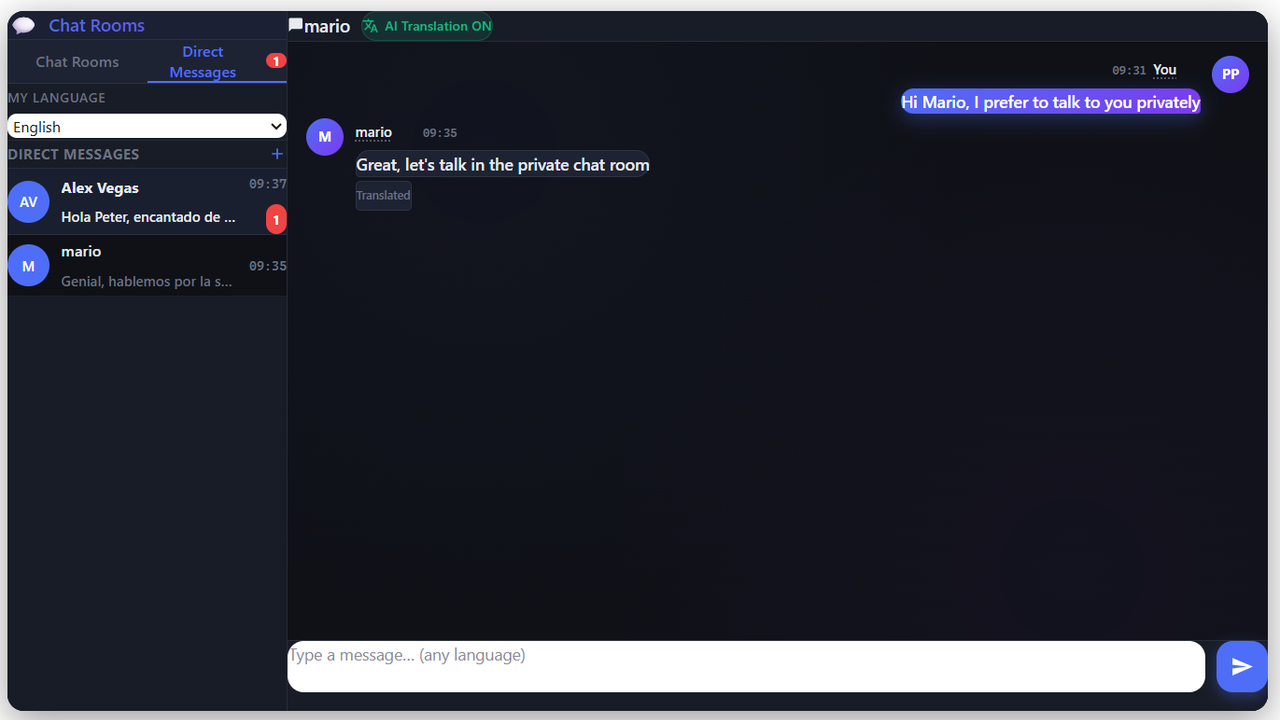
- Direct messages — Private one-to-one conversations, translated the same way as public rooms. Free.
- Reactions — Emoji reactions on any message, guests included.
- Moderation tools — Ban, mute and delete from inside the chat itself, with a right-click menu for administrators.
- Multi-room chat — Create as many topic-based rooms as you want from the admin dashboard.
- 3 translation engines — Free (MyMemory), high-quality (DeepL), or AI (OpenAI GPT-4o-mini). You choose, and you can switch any time.
- Smart caching — Each phrase is translated once, then served instantly to everyone. Saves quota and lightens server load.
- Setup wizard — A four-step wizard gets you from activation to a live room in under two minutes.
- GDPR-ready — Privacy policy auto-generated, message retention configurable, no data leaves your database except the text being translated.
Perfect for
- International communities and forums
- Language exchange and learning sites
- Multilingual e-commerce stores with WooCommerce
- Travel, expat and digital-nomad communities
- Online courses with students from multiple countries
- SaaS support chats serving customers worldwide
How it works
- Install and activate the plugin.
- Pick a translation provider in Akukita Chat Settings (the free MyMemory is selected by default — no API key needed).
- Create your first room in Akukita Chat Rooms.
- Done. Your users can now chat across languages.
Translation Providers
You choose which one to use, and you can switch any time without losing your chat history:
- MyMemory (default) — 100% free, no API key. 5,000 words/day per IP, or 50,000/day if you add your email in Settings.
- DeepL Free — Best European-language quality. 500,000 characters/month with a free DeepL API key.
- OpenAI GPT-4o-mini — State-of-the-art translation quality including idiomatic and informal language. Requires a paid OpenAI API key. Costs are minimal (~$0.15 per 1M input tokens).
If the API ever goes down, the original message is shown as-is — your chat keeps working.
Upgrade to Akukita Chat Premium
-
Direct messages, reactions and moderation are free — they moved into the free plugin in version 1.5. Premium is now about running chat as part of a business:
- File Attachments — Images and documents in rooms and DMs
- Analytics Dashboard — Active users, peak hours, language breakdown
- WooCommerce Integration — Gate rooms behind product purchases
- Webhooks — Push chat events to Slack, Zapier, n8n or your CRM
- DM Email Alerts — Bring users back when they get a message
- 6 Themes + Custom CSS — Match your brand exactly
- White Label — Your brand, not ours
- Chat History Export — CSV and JSON, any room, any date range
- Priority Translation — Stays fast when your rooms get busy
One package, three licence sizes: 1, 5 or 25 sites. Every licence unlocks all nine modules.
Free Premium Multi-room translated chat ✅ ✅ 70+ languages, 3 engines ✅ ✅ Guest access ✅ ✅ Reactions ✅ ✅ Moderation (ban, mute, delete) ✅ ✅ Direct messages ✅ ✅ File attachments — ✅ Themes & custom CSS — ✅ Analytics dashboard — ✅ Chat export (CSV/JSON) — ✅ White label — ✅ Webhooks — ✅ DM email alerts — ✅ Priority translation — ✅ WooCommerce room gating — ✅ Sites per licence Unlimited 1 / 5 / 25
External services
Akukita Chat connects to third-party translation APIs to translate chat messages. Each provider is opt-in and configured by you in Akukita Chat Settings. No data is sent unless you enable a provider and a user posts a message.
1. MyMemory / Translated.net (default — no API key needed)
Only the text of each chat message is sent. No user identifiers, emails or WordPress data are transmitted.
- Service URL: https://mymemory.translated.net
- Terms of Service: https://mymemory.translated.net/terms-and-conditions
- Privacy Policy: https://translated.com/confidentiality
2. DeepL API (optional — requires API key)
Only message text is sent.
- Service URL: https://www.deepl.com
- Terms of Service: https://www.deepl.com/pro-license
- Privacy Policy: https://www.deepl.com/privacy
3. OpenAI API (optional — requires API key)
Only message text is sent to the GPT model.
- Service URL: https://openai.com
- Terms of Service: https://openai.com/policies/row-terms-of-use/
- Privacy Policy: https://openai.com/policies/row-privacy-policy/
Privacy
Akukita Chat stores all chat messages in your own WordPress database. The plugin uses wp_add_privacy_policy_content() to automatically suggest privacy text for your site’s policy page (visible in Settings Privacy). You control the message retention period from the plugin settings.